Digital artwork may begin on a screen, but it does not have to stay there. Turning an illustration, digital painting, photograph, or mixed-media design into a physical print gives the work a different presence, especially when it is intended for a gallery, exhibition, or someone’s home.
Canvas prints are one option because the textured surface adds a physical quality that is not present on a monitor. For artists interested in printing digital art on canvas, the important question is not simply whether canvas can reproduce the image. It is whether the texture, size, and presentation actually suit the artwork.
Some pieces benefit from the softer, more tactile character of canvas, while artwork built around extremely fine lines or very small details may work better on a smoother print surface. This guide explains what to look at before turning your digital art prints into stretched canvas.
What Are Canvas Prints?
Canvas prints are images printed directly onto canvas material. After printing, the canvas is stretched and secured around wooden stretcher bars, creating a finished piece with physical depth rather than a flat sheet.
There are also several ways to handle the edges of the artwork. The image can continue around the sides, the edges can be mirrored, or a solid-color border can be used.
Once stretched, the canvas can be displayed on its own or placed in a frame for a more finished presentation.
At Lumaprints, canvas is printed using eco-solvent inkjet printing and is available in different sizes and presentation options. The choice of size, border treatment, and framing can all affect how the original digital artwork feels once it becomes a physical piece.
Advantages of Printing Digital Art on Canvas for Galleries
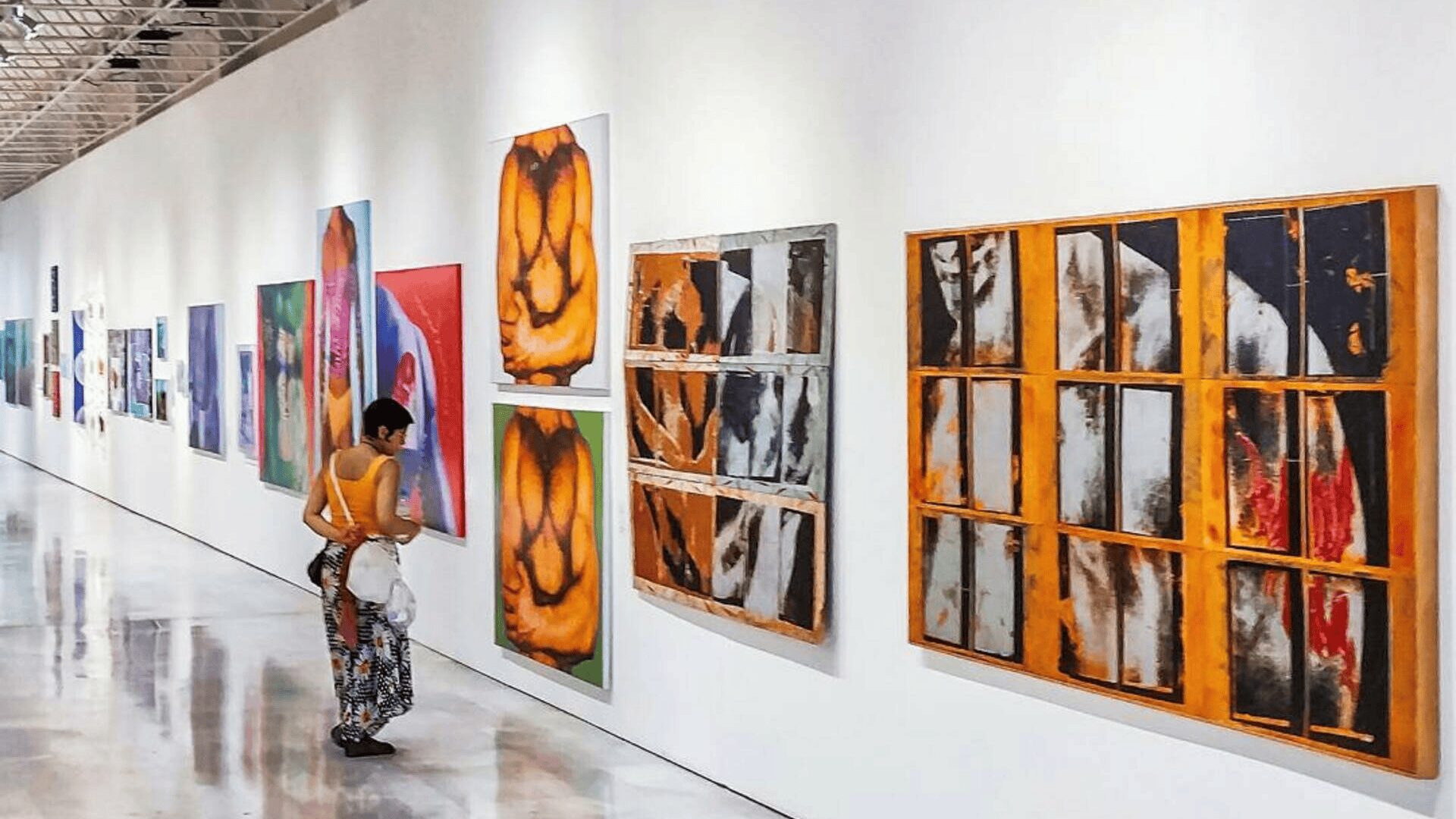
Canvas can work well for gallery display because it gives digital artwork a more tactile quality while remaining relatively lightweight and easy to present.
That does not mean it is automatically the right material for every image. The best results usually come from choosing canvas because its texture supports the artwork rather than simply because it is a familiar wall-art format.
Adds Physical Depth
One of the biggest differences between a digital file and a canvas print is the surface.
Canvas has a visible weave, and the print is stretched over a frame rather than lying completely flat. That combination can give digital paintings, landscapes, illustrations, and abstract artwork more physical presence.
The texture can be especially effective when the original artwork already has brush-like effects, layered color, or softer transitions.
Reduces the Look of a Flat Digital Display
Artwork viewed on a monitor is backlit and completely smooth. Canvas changes both of those qualities.
The textured surface reflects the light in the room instead of producing its own light, which can make the image feel less like something pulled directly from a screen. Canvas also avoids the glass typically used with some framed paper prints, so reflections may be less distracting depending on the room and lighting.
Offers Flexible Sizing
Our canvas prints are available in both standard and custom dimensions, which gives artists more freedom when working with unusual proportions.
This can be particularly useful for panoramic artwork, tall compositions, or pieces that were not originally designed around common frame sizes.
Before choosing a custom size, however, check the image resolution and aspect ratio. A larger canvas only works well when the source file can support the intended dimensions.
Works Well as Finished Wall Art
A stretched canvas can be displayed without an additional traditional frame, which simplifies the presentation for galleries, buyers, and collectors.
If you prefer a more defined border around the artwork, you can also frame your canvas. Framing changes the overall character of the piece, so it is worth thinking about before finalizing the image wrap.
What Type of Digital Artwork Looks Good on Canvas?
Many styles can work as canvas prints for digital art, but some naturally benefit from the surface more than others.
Good candidates include:
- Digital paintings and illustrations
- Concept art and character artwork
- Landscapes and nature scenes
- Portrait photography
- Abstract compositions
- Digital collages
- 3D artwork and rendered scenes
- Artwork with painterly or textured effects
Canvas can also work with minimalist designs, although extremely thin lines and very small details should be checked carefully before printing.
The best way to decide is to look at what makes the artwork interesting. If texture and color are major parts of the image, canvas may reinforce those qualities. If precise detail is the main attraction, compare canvas with a smoother medium before making the final decision.
How to Turn Digital Art Into Canvas Prints
Preparing the file properly matters just as much as choosing the canvas itself.
1. Choose the Artwork and Final Size
Start with the highest-quality version of your digital file.
Then decide how large you want the finished canvas to be. Lumaprints recommends sufficient image resolution for the intended output size, with 200 DPI used as a minimum reference for canvas printing.
Do not judge resolution only from how the image looks on your screen. A file can appear sharp on a laptop and still show softness when enlarged significantly.
Also check the aspect ratio before choosing the canvas dimensions. If the proportions do not match, part of the image may need to be cropped.
2. Check the Crop and Important Details
This is particularly important when printing digital art on canvas.
Look closely at faces, signatures, typography, focal points, and other important details near the edge of the composition. Depending on the wrap option, some image areas may continue onto the sides of the canvas.
If an important element sits too close to the edge, consider adjusting the composition or choosing a border treatment that keeps more of the original artwork visible on the front.
3. Decide on the Canvas Edges
Think about how you want the sides of the finished piece to look.
An image wrap continues the artwork around the sides. A mirror wrap reflects the outer edge of the image, while a solid border keeps the main artwork on the front and uses color along the sides.
There is no single best option.
If the artwork has plenty of background around the edges, an image wrap may work naturally. If important details are close to the border, a mirror or solid-border option may preserve more of the original composition.
4. Decide Whether to Add a Frame
A frame can make the canvas feel more complete, especially for gallery exhibitions or higher-priced work.
If you plan to frame the piece, remember that the canvas edges will become less visible. This may influence how much time you want to spend fine-tuning the wrap treatment.
The frame should also support the artwork rather than dominate it. Simple black, white, or natural finishes are often easier to pair with a wide range of digital styles.
5. Review Color Before Printing
Screens and printed materials do not reproduce color in exactly the same way.
Before uploading the final file, review the brightness, contrast, saturation, and overall color balance. Avoid making extreme adjustments simply because an image looks slightly different on one monitor.
Use a high-quality source file and save the final artwork in an appropriate format such as JPEG or PNG.
If you are preparing an important gallery piece or planning to sell multiple copies, ordering one sample before producing the full collection is a sensible step.
Why a Sample Print Is Worth Considering
A sample gives you information that a screen cannot.
Once the artwork is printed, you can check the canvas texture, crop, edge treatment, overall sharpness, and how the colors feel under normal room lighting. You may discover that a section needs more breathing room or that the artwork would benefit from a different size.
For artists selling reproductions, a sample also gives you something physical to photograph for your portfolio, online store, or promotional material.
It is much easier to make adjustments before customers or gallery visitors see the final work.
Is Canvas the Best Choice for Your Digital Artwork?
Canvas can give digital work a warmer, more traditional physical presence, but the right choice depends on the artwork and how you plan to display it.
Ask yourself what the exhibition or print is supposed to accomplish.
If the artwork has broad color areas, painterly effects, landscapes, portraits, or expressive textures, canvas can work particularly well. The woven surface becomes part of the presentation without changing the original image itself.
If your work relies heavily on tiny details, extremely sharp lines, or a very smooth digital aesthetic, another surface may make more sense. For example, metal prints can provide a cleaner, more contemporary presentation for certain types of detailed digital work.
Budget also matters. Canvas can be displayed without additional framing, while adding a frame or choosing very large dimensions will raise the overall cost.
For artists selling work at different price points, there is no reason to limit the entire collection to one format. You might display larger canvas pieces in a gallery while offering smaller paper reproductions for buyers who want a more accessible option.
Give Your Digital Artwork the Right Physical Presence
Moving from a screen to a canvas is more than changing the format of the image. Size, texture, crop, wrap style, and framing all become part of how people experience the finished artwork.
Start with the qualities that make your digital piece interesting. If canvas texture supports those qualities, prepare the file carefully, check the edges, choose an appropriate size, and consider testing a sample before committing to a larger run.
The goal is not to make digital artwork look traditional. It is to choose a physical presentation that gives the image the space and character it needs.
Ready to see how your artwork feels beyond the screen? Print your digital art on canvas, choose the size and presentation that suit your work, and turn your digital file into a finished piece that is ready for a gallery, collection, or wall.
Frequently Asked Questions
Is canvas a good choice for digital art prints?
Yes, canvas can work very well for digital art, especially when the image has painterly textures, bold color, landscapes, portraits, or expressive details. The canvas surface adds visible texture and gives digital artwork a more physical, gallery-style presence. For work that depends on extremely fine lines or tiny details, a smoother print surface may be worth comparing before you decide.
What resolution should digital art be for canvas printing?
Your file should have enough resolution for the final print size you want. As a general guide, Lumaprints uses 200 DPI as a minimum reference for canvas printing. The larger the canvas, the more important it is to start with a high-quality source file so the image does not look soft or pixelated when enlarged.
What file format is best for printing digital art on canvas?
JPEG and PNG are commonly used for digital art prints, as long as the file is saved at high quality and at the correct dimensions. Before uploading, check the image for resolution, color, crop, and any important details near the edges. Avoid using low-resolution files downloaded from social media or messaging apps.
Should I use image wrap, mirror wrap, or a solid border for digital art?
The best wrap depends on your composition. Image wrap works well when there is enough background around the edges, while mirror wrap can help keep more of the original artwork visible on the front. A solid border can be a better choice when important details, signatures, faces, or text sit close to the edge of the image.
Should I order a sample before selling digital art canvas prints?
Yes, especially if you plan to sell multiple copies or use the artwork in a gallery. A sample lets you check color, sharpness, crop, texture, edge treatment, and overall presentation before committing to a larger run. It can also give you a real product to photograph for your online store, portfolio, or social media.
About the Author
[/vc_column_text][/vc_column][/vc_row]Sara Popovic
Sara is a writer and illustrator who likes to dabble in web and graphic design, as well as handcrafting. She loves exploring various ways to create, present and market art.
Sara has worked on several ecommerce projects in the past, including Etsy and Fabletics. What drives her to create content in this industry is helping people build their own creative projects and turn their passion into a living.