Selling wall art online gets much easier when customers can see their options without opening several nearly identical product pages. That is where product variants become useful. One piece of artwork may come in several sizes, frame colors, or materials, and keeping those choices together can make the shopping process feel a lot simpler.
In this webinar, we look at how variants work and how they can be organized for wall art products such as canvas prints. Thoughtful product variations give shoppers more choice while helping you keep the storefront cleaner and easier to manage.
Watch the webinar here: Mastering Product Variants for Wall Art – Lumaprints Learning Series 28.
If you would rather read through the main points, continue below or jump to the section you need.
What Are Variants?
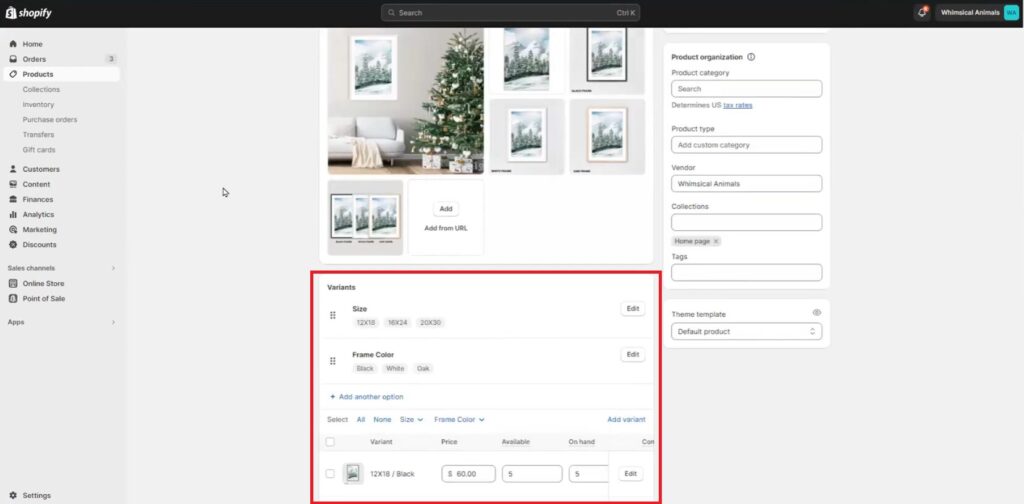
In e-commerce, variants are simply the different choices available under one product listing. For wall art, that could mean several print sizes, different frame colors, or a choice between canvas and fine art paper.
Keeping those options under one listing can be more practical than creating a separate page for every version. The customer stays on the same product, compares the choices, and selects the one that fits what they want.
The Importance of Variants in E-commerce
Variants help keep a store organized while still giving customers room to choose.
From the seller’s side, they can reduce the need to create multiple listings for products that are basically the same artwork with a different size, frame, or material. For shoppers, the benefit is just as clear. They can compare their options without jumping from page to page.
That matters with wall art because the final choice often depends on the room, available wall space, preferred frame style, or budget. A clear set of variants makes those decisions easier.
Adding Variants to Your Store
Most e-commerce platforms make it fairly simple to add options such as size, color, or material to a product page.
The important part is naming those options clearly. Keep the labels short and consistent so a shopper can understand them at a glance. If you use “Black Frame” on one product, for example, avoid calling the same option “Frame – Black” somewhere else unless there is a reason to do so.
Shopify’s official guide to adding product variants also explains how product options and values can be created and managed.
Visualizing Variants
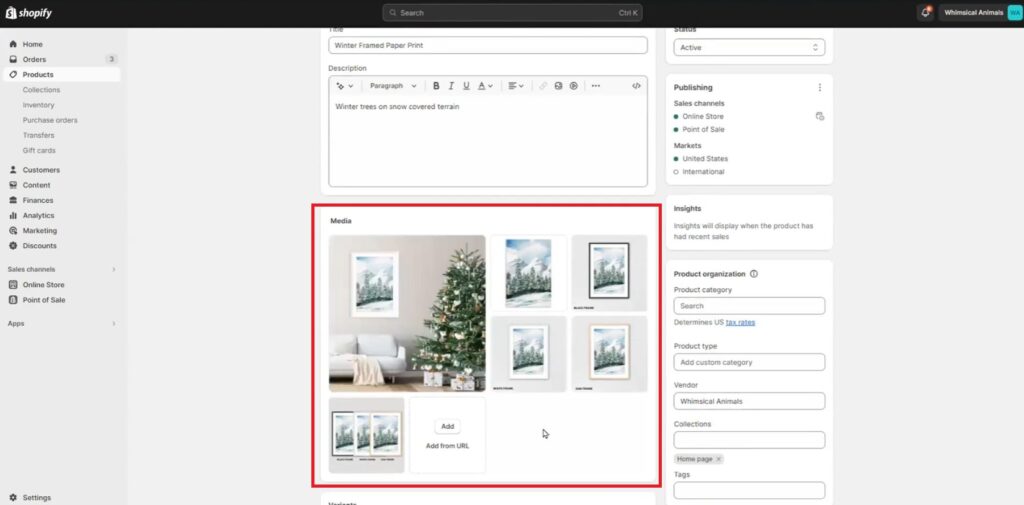
A customer should not have to guess what a selected option will look like.
If you offer several frame colors, showing the matching image is far more useful than listing the names alone. The same applies when a product is available in noticeably different materials or formats.
Images tied to the selected product variants make comparison easier and can prevent confusion before checkout. If the option changes the appearance of the finished product, try to show that difference as clearly as possible.
Considerations for Image Sizes and Resolutions
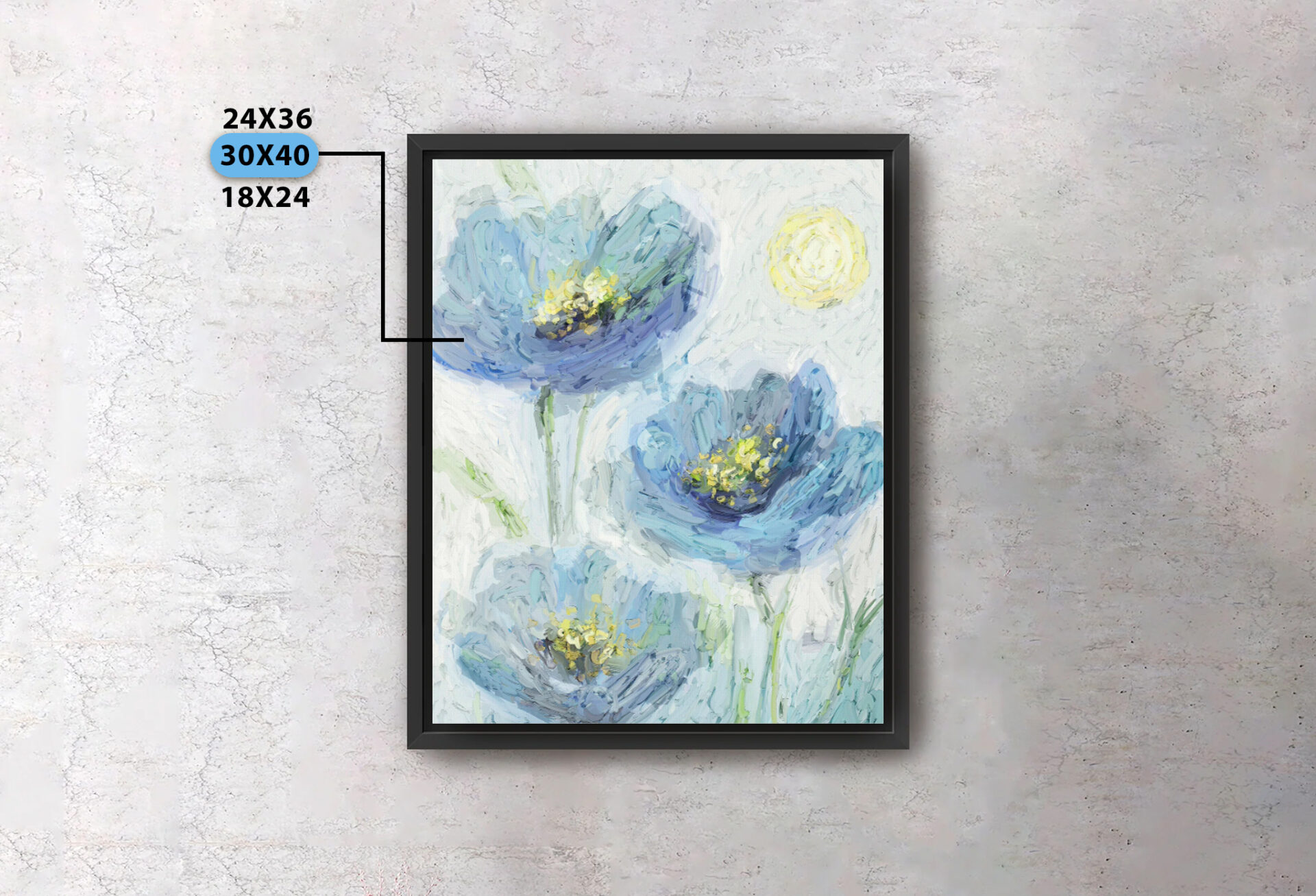
Offering several print sizes also means paying attention to image quality.
A file that looks sharp at a smaller size may not hold up as well when enlarged. Before adding a larger option, check the source image at the dimensions you plan to sell and look closely at sharpness, cropping, and aspect ratio.
Do not assume every file will work for every size. It is better to leave out a size that does not print well than to offer more choices at the expense of quality.
Price Variation and Catalog Organization
Different variants may also need different prices.
Larger prints cost more to produce, and framing or material changes can affect the final cost as well. Set the price for each option based on what it actually costs to make and what the customer is receiving.
Organization matters here too. A simple order such as product type, size, then frame color is easier to follow than a long menu of mixed choices. Customers should be able to move through the options without stopping to figure out what each selection means.
Integration with Printing Services
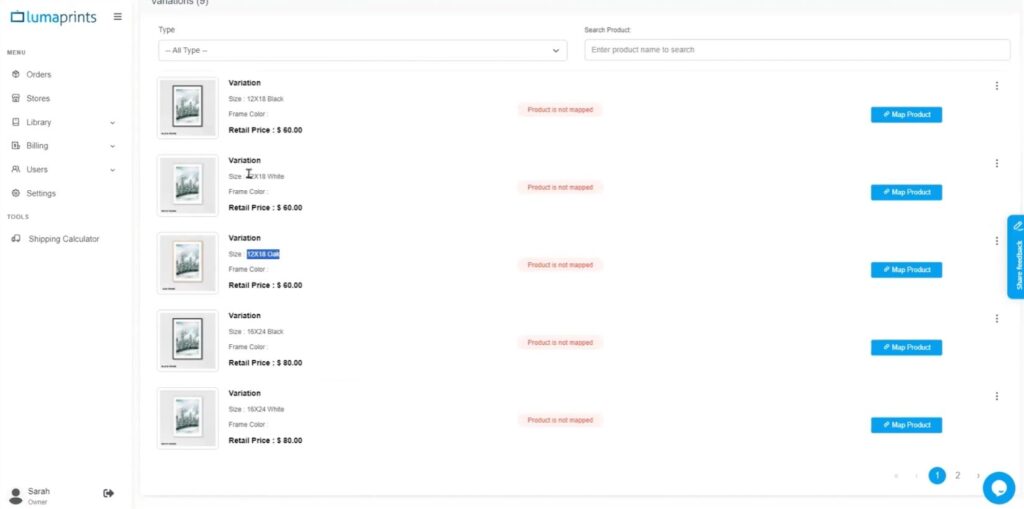
When your store is connected to a printing provider, each option needs to match the correct product on the fulfillment side.
Using print on demand integration with Lumaprints can help connect customer selections with the right production option. The setup still needs to be checked carefully, especially when you add, remove, or rename a variant.
A quick review before publishing can prevent simple mapping mistakes that later turn into the wrong size, material, or frame being sent to production.
Build Product Variants Customers Can Understand
A good variant setup should feel simple from the customer’s side. They should be able to choose a size, material, or frame without wondering whether they selected the right thing.
Before publishing a product, open the page as if you were the customer. Change the options, check the images, review the price, and make sure each selection is connected to the correct fulfillment product.
If you want to connect your wall art store with a printing partner, explore Lumaprints’ print-on-demand fulfillment options and choose a setup that fits the way you sell your artwork.
Watch the full webinar here: Mastering Product Variants for Wall Art – Lumaprints Learning Series 28.
All previous and upcoming webinar videos are available on the Lumaprints YouTube Channel.
Frequently Asked Questions
What are product variants?
They are different versions of the same product, such as size, frame color, material, or finish.
Should every wall art size have its own listing?
Not always. If the artwork is the same, related sizes can usually stay together under one listing as variants.
Can product variations have different prices?
Yes. A larger size, different material, or added frame may have a different production cost, so the selling price can change too.
Do I need a separate image for every variant?
Not necessarily, but it helps when the option changes how the finished product looks. Frame colors are a good example.
What should I check before adding another size?
Review the image resolution, aspect ratio, crop, price, and fulfillment mapping before making the new size available.